No bank connection
Add expenses manually or scan receipts. Nothing links to your bank account.
Expense control with AI
Lyamo turns receipts and purchases into a clear budget: what’s spent, what’s left, and how much you can spend per day. AI scans receipts and answers from your numbers — no bank connection.
No card required · Full dashboard · Free plan included
Built for EU privacy expectations — you stay in control.
Add expenses manually or scan receipts. Nothing links to your bank account.
We process data in the EU. Delete your account — we delete your data. Privacy Policy is available before you sign up.
AI drafts receipts and answers from your numbers. Nothing is saved without your confirmation.
Checkout and subscription management through Stripe Customer Portal — no card required to start.
Read before you create an account: Privacy PolicyTerms of ServiceImpressum
See decisions for today — not only last week’s history.
Set your cycle start day. See remaining budget and your daily allowance — no guessing if you’ll make it to the 1st.
Snap a photo, review the AI draft, optionally split by category. No retyping line items.
Chat and insights use your budget, fixed costs, and category limits — not generic internet advice.
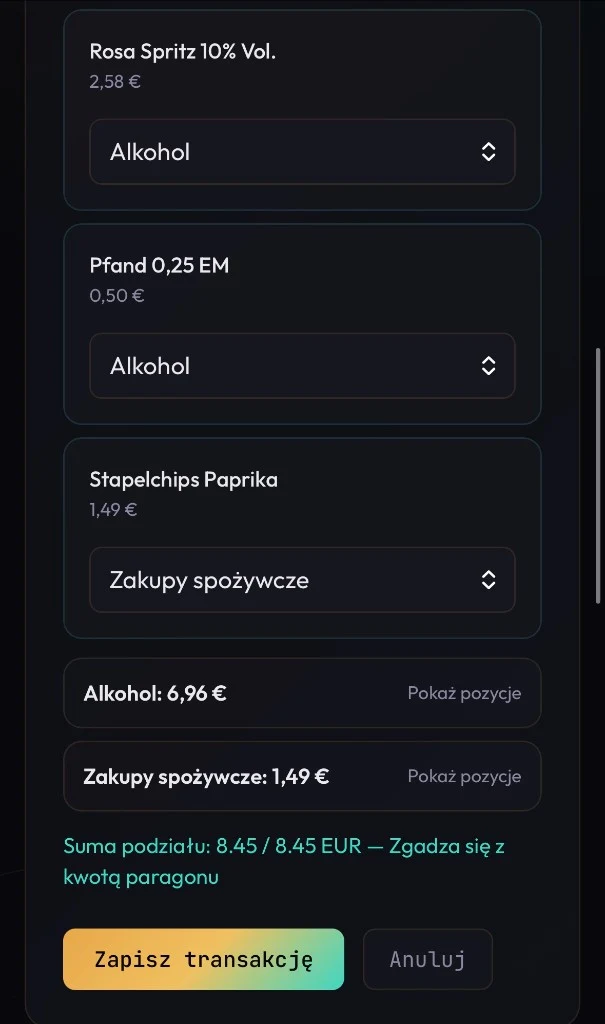
Receipt scanner
Photo → AI draft → save. Optionally split items across categories so charts and limits stay accurate.
AI assistant
Ask about patterns, limits, or “what if I buy X?”. Answers use your budget, fixed costs, and days until payday.
AI tips are informational and are not financial advice. AI proposes — you confirm.
Set category caps. Browse history cycle by cycle. Keep recurring bills in one total.
Progress bars on the dashboard before you overshoot the plan.
Edit entries, group receipt splits, and include subscriptions in your total.
Log in any supported currency — view everything in your primary currency.
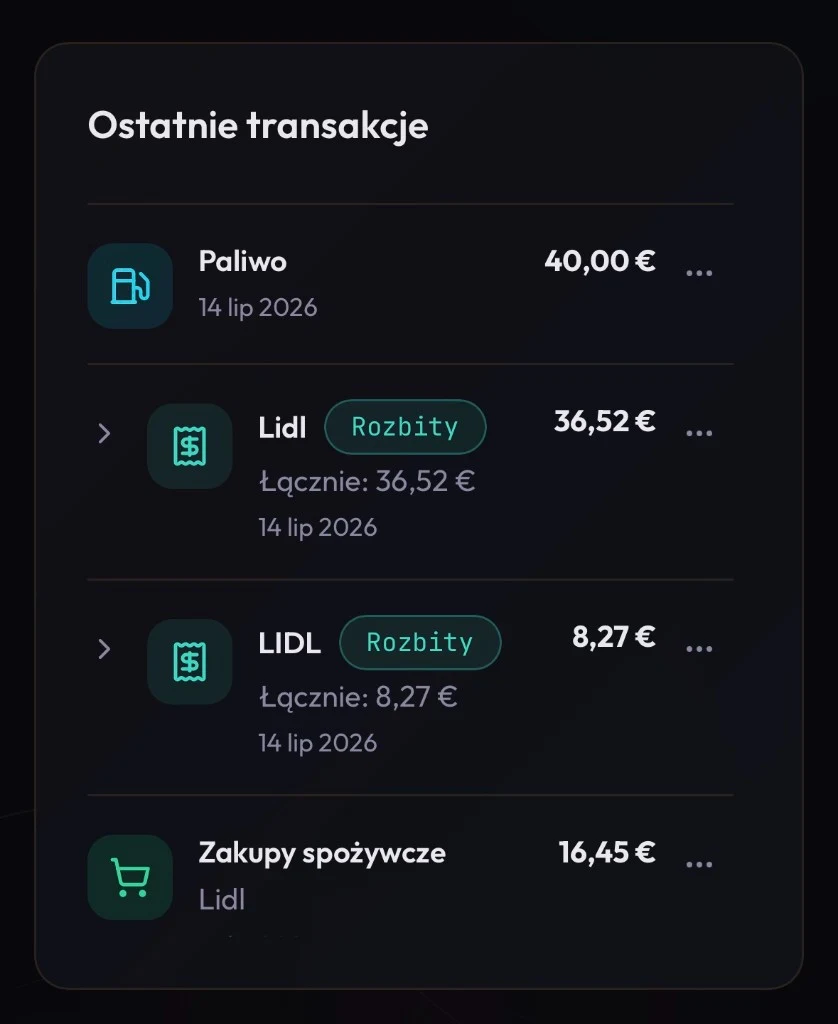
On your phone
Budget, scanner, and assistant — no native app install required.
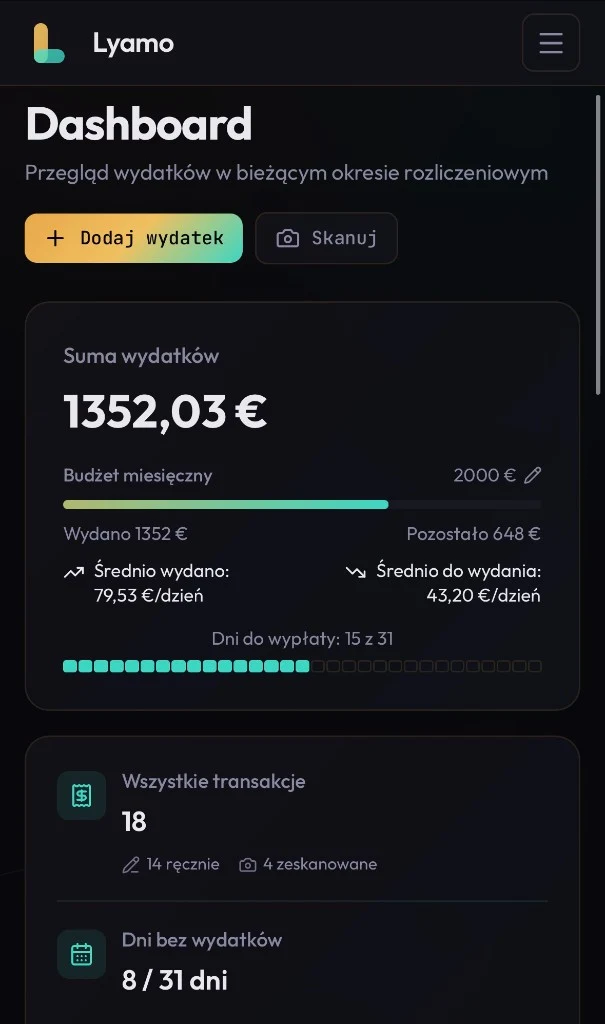
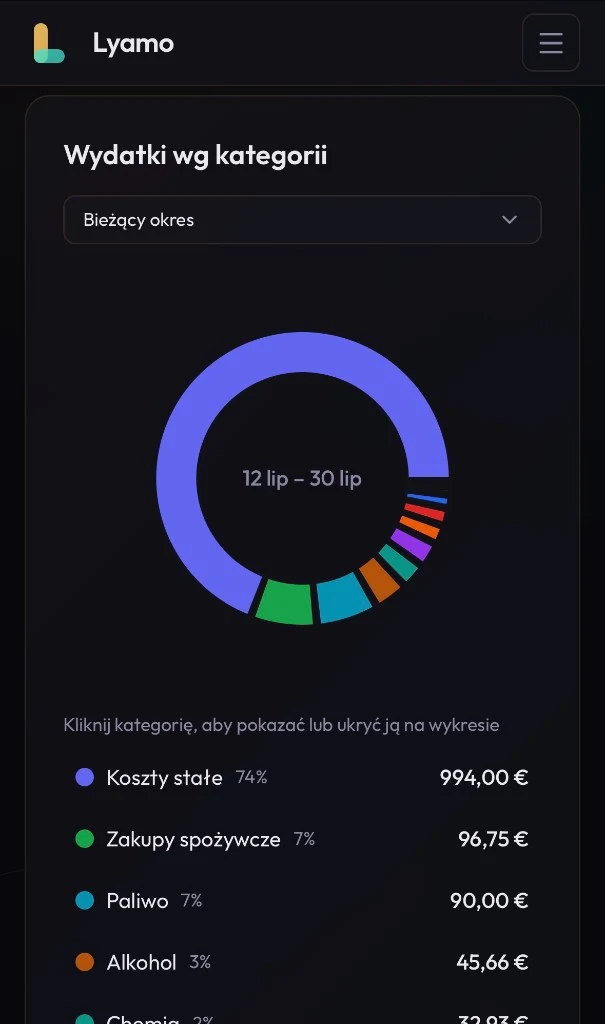


Creator
I’m Piotr Kulbacki. I build Lyamo in Berlin as an independent product: expense control without bank login, clear privacy rules, and AI that you confirm.
Piotr Kulbacki
Lyamo creator · Software Engineer
Meet me at piotrkulbacki.comPay for more AI and longer photo archive — not for basic expense control.
Payment currency
FREE
PRO
FeaturedPLN 17/ month
Use code PROMO50 at checkout for 50% off!
PREMIUM
PLN 23/ month
Use code PROMO50 at checkout for 50% off!
No. You add expenses manually or scan receipts. There is no Open Banking connection.
Yes. The Free plan includes the full dashboard, 5 receipt scans, and 10 AI chat messages per month.
You upload a photo. AI prepares a draft (amount, date, categories). You review and confirm — nothing is saved automatically without your decision.
One receipt can be split across categories (e.g. groceries and household) so charts and limits stay accurate.
You set a start day (e.g. payday). Budget, averages, and limits are calculated for that billing cycle.
PLN, EUR, GBP, and USD — with conversion to your primary currency.
Yes, within what it needs to answer: totals, budget, fixed costs, limits, and recent transactions. It is not a generic chatbot.
On Free, photos are not kept long-term. On Pro up to 60 days, on Premium up to 12 months — in the scanner archive.
Yes — in Settings (danger zone). Inactive accounts are also removed under our retention policy.
Lyamo works in your phone browser (responsive). A full native expense app is not available yet.
Through the Stripe Customer Portal in Settings. You keep access until the end of the paid period.
Lyamo is built by Piotr Kulbacki — an independent software engineer in Berlin. More about me: piotrkulbacki.com. Company details are also in the Impressum.
Create a free account, set your payday, and see your first clear cycle.
Create your free accountNo card required · No bank login · Cancel paid plans anytime in Stripe